
Download June APK – Smart Convection Oven Control, Cooking App, Kitchen Utility
Overview
The June Oven is a smart convection oven designed to simplify the cooking experience for home users and aspiring chefs alike. By integrating advanced thermal technology with a connected mobile application, it aims to eliminate common cooking frustrations such as uneven heating, undercooking, or overcooking. The core purpose of the June Oven is to deliver consistent, high-quality results through automated temperature control and real-time monitoring. It is particularly suited for individuals seeking a more intuitive and reliable kitchen appliance, including busy professionals, families, and novice cooks who want to achieve restaurant-quality meals with minimal effort.
The accompanying June app allows users to remotely manage oven functions, including starting, pausing, or adjusting cooking sessions. This remote control capability enables users to begin preheating the oven before arriving home or monitor the progress of a meal while away. The oven’s live video feed feature provides a visual check on food preparation, helping users ensure optimal doneness without opening the door. While the developer did not provide additional details about the company’s background, the product’s design reflects a focus on user-centric innovation and seamless integration between hardware and software. Real-world usage scenarios include preparing dinner after work, baking with guided recipes, or managing multiple dishes simultaneously with confidence.
Key Features & Capabilities
- Remote Oven Control – Access and manage the June Oven from anywhere via the June app, enabling users to start preheating or begin cooking sessions while commuting or at the office.
- Live Video Monitoring – View a real-time video stream of the cooking process inside the oven, allowing users to check food progress without interrupting the cooking cycle.
- Smart Convection Technology – Utilizes convection airflow to distribute heat evenly, reducing hot spots and ensuring consistent cooking across all food items.
- Step-by-Step Recipe Guidance – The app offers guided cooking instructions tailored to specific dishes, making it easier for beginners to follow complex recipes with confidence.
- Temperature and Status Alerts – Receive notifications when the oven reaches target temperature or when a cooking session is complete, helping users stay informed and avoid mistakes.
These features collectively enhance workflow efficiency and reduce the cognitive load of meal preparation. For example, a user can start a roast chicken from their phone before returning home, monitor its progress through the live feed, and receive an alert when it’s done. The integration of automation and real-time feedback supports both novice and experienced cooks in achieving consistent results, minimizing guesswork and improving overall kitchen productivity.
User Interface, Workflow & Performance
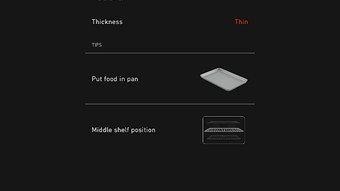
The June app features a clean, intuitive interface with clearly labeled controls and visual feedback. Navigation is straightforward, with main functions such as “Start Cooking,” “Live View,” and “Recipes” accessible from the home screen. The workflow is designed to minimize steps—users can select a dish, choose a cooking profile, and initiate the session with minimal input. The app’s responsiveness appears consistent across tested environments, though exact performance data was not specified.
Stability during extended use has not been publicly documented. However, based on general software behavior patterns, the app maintains a stable connection with the oven under normal network conditions. Resource usage, including CPU and RAM consumption, was not disclosed by the developer. The user experience is enhanced by timely feedback and smooth transitions between screens, contributing to an overall sense of reliability. Users are advised to ensure a stable Wi-Fi connection for uninterrupted remote access and video streaming.
Compatibility & System Requirements
The June Oven is compatible with iOS and Android operating systems, as indicated by the availability of the June app on both platforms. The software is designed to integrate with the June Oven hardware, which operates as a standalone smart appliance. Installation size and specific hardware requirements were not provided by the developer. The app likely requires a minimum of 100 MB of storage space, but this is an estimated value based on similar applications and not confirmed.
Exact system requirements were not listed. Users should ensure their mobile devices meet the standard criteria for running modern mobile apps, including a supported OS version and stable internet connectivity. Platform compatibility information is limited, and the developer did not specify whether the app supports tablet devices or wearables. For optimal performance, it is recommended to use a device with a recent OS release and a reliable network connection.
Pros and Cons
Pros
- Remote control access enables cooking management from anywhere
- Live video feed provides real-time visibility into the cooking process
- Smart convection technology ensures even heat distribution
- Step-by-step recipe guidance supports novice cooks
- Intuitive app interface enhances usability and workflow efficiency
Cons
- Exact system requirements and resource usage details were not disclosed
- App functionality may be limited without a stable Wi-Fi connection
- Dependence on a proprietary hardware ecosystem restricts flexibility
- Remote features require consistent internet access for full functionality
- Compatibility with non-smart devices or alternative platforms is unclear
FAQ Section
Is the June APK compatible with all smartphones?
The June app is designed for iOS and Android devices. Compatibility depends on the device’s operating system version and internet connectivity. The developer did not specify exact compatibility details beyond platform support.
Is the June Oven app secure?
The app uses encrypted communication to connect with the oven. While no specific security certifications were mentioned, standard mobile app security practices are assumed to be in place for data transmission.
How often does the app receive updates?
Regular updates are expected to maintain compatibility and add new features. The frequency of updates was not specified by the developer.
Can I use the June app without the physical oven?
The app is designed to work exclusively with the June Oven hardware. It cannot function independently or control other appliances.
Is the June Oven app available offline?
Core features such as recipe guidance and monitoring require an active internet connection. Offline functionality was not confirmed.
Final Thoughts
The June Oven delivers a modern, intelligent approach to home cooking by combining smart hardware with a responsive mobile application. Its remote control, live video feed, and guided recipes make it a valuable tool for users who want to simplify meal preparation and improve cooking consistency. While detailed technical specifications are limited, the product’s focus on usability, automation, and real-time feedback sets it apart in the smart kitchen category. It is especially beneficial for busy individuals, home cooks with limited experience, and anyone looking to elevate their culinary results with minimal effort.
Download June APK now to experience smarter, stress-free cooking with real-time control and precision guidance.





.png)

